
Add your items
Take a product photo, scan a barcode or QR code, capture item details, or add multiple items at once.
Scan barcodes, find items by photo, track stock and expiry dates, and manage inventory across Android, iOS and Web—even offline.
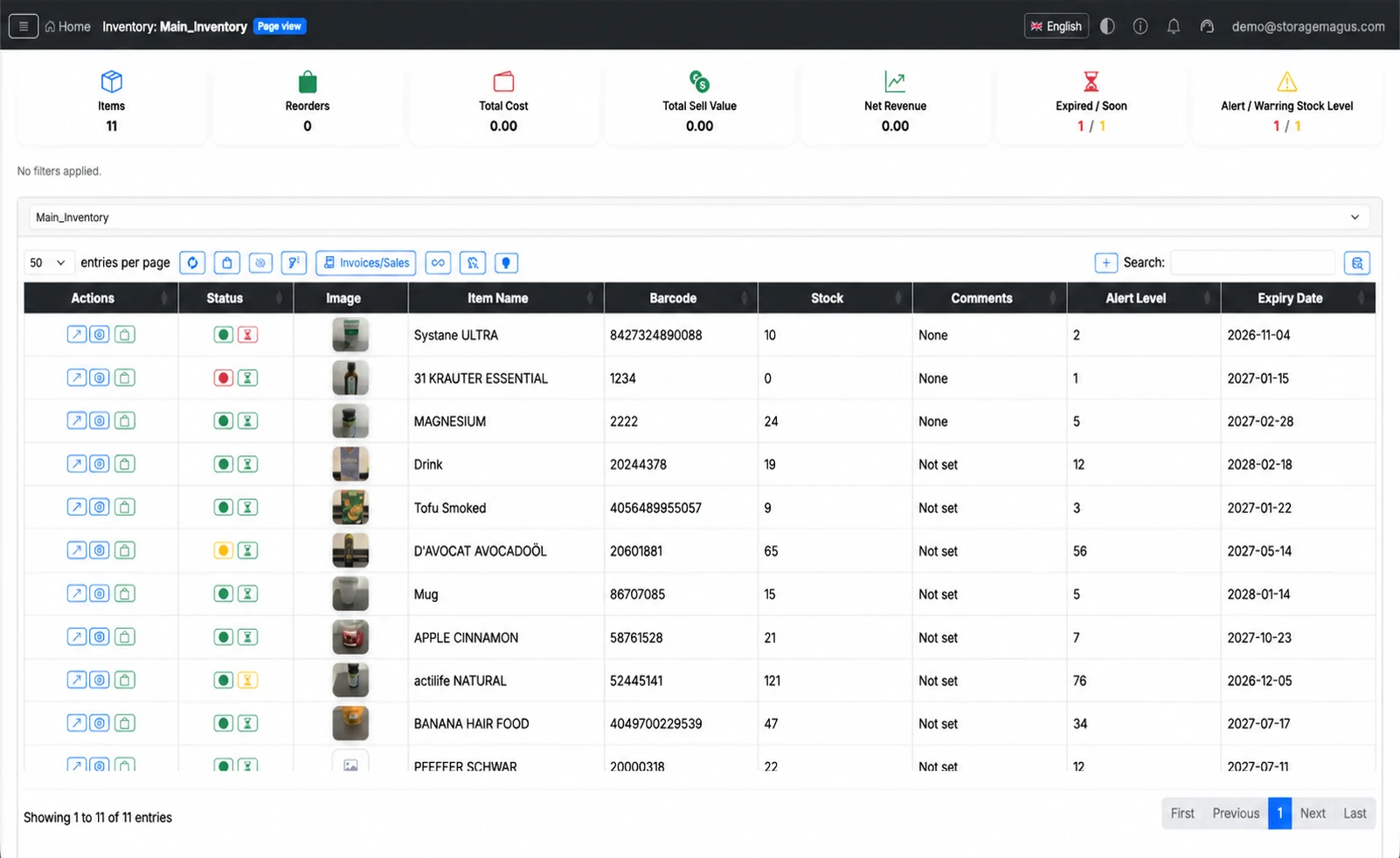
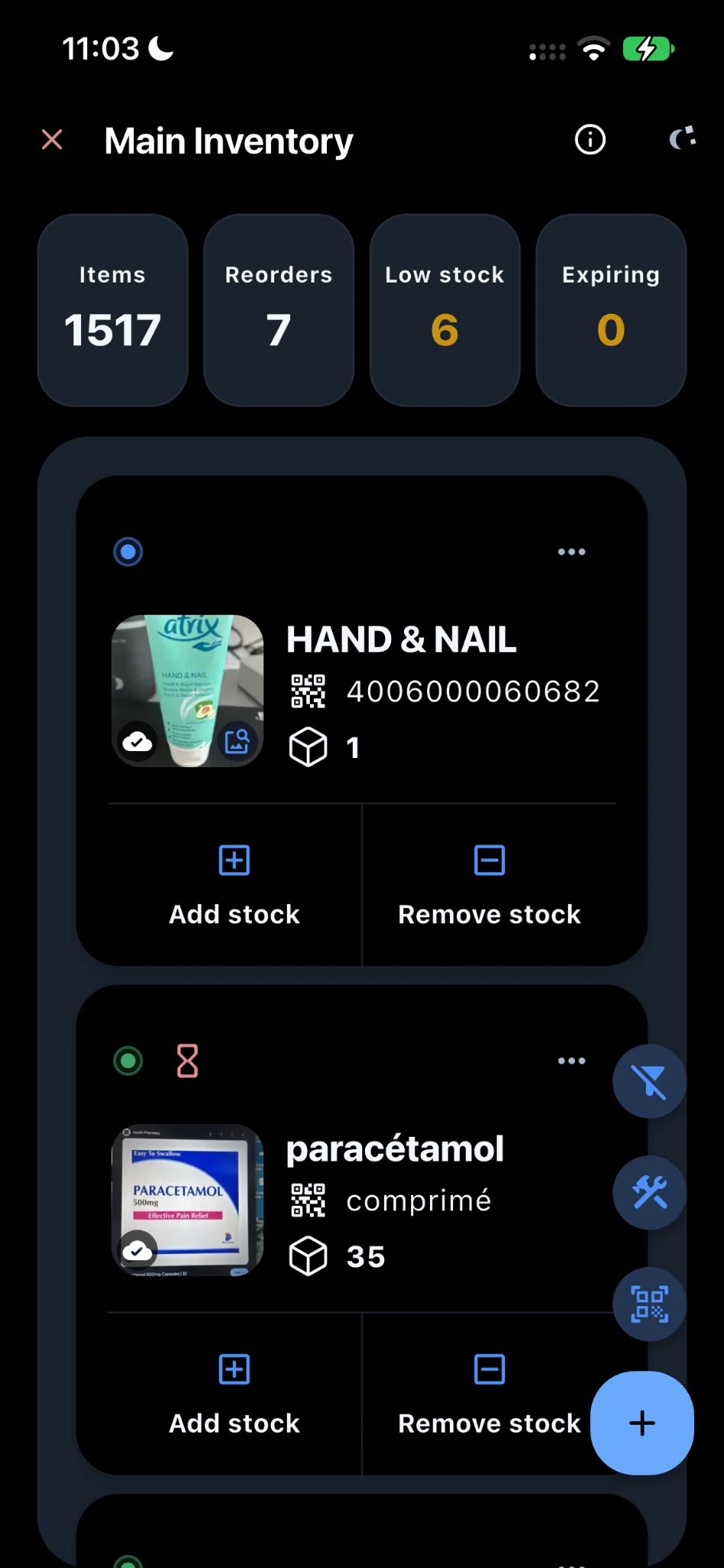
Three straightforward steps to bring your inventory under control.
Take a product photo, scan a barcode or QR code, capture item details, or add multiple items at once.

Find registered products by photo, name or barcode, update stock quantities, and manage inventory from mobile or web.

Monitor low-stock alerts and upcoming expiry dates, with cloud synchronization when connected.
Find registered items by photo, scan barcodes and QR codes, recognize expiry dates, track stock levels, collaborate with your team and audit inventory—all with Storagemagus.
Find registered inventory items by taking a photo—no barcode required. Access matching products and stock details, even offline when recognition data is stored on your device.
Scan barcodes and QR codes with your phone camera to find registered products, check item details and update stock quantities. No dedicated barcode scanner required.
Detect expiry dates using your phone camera, monitor products approaching expiration, and receive reminders to help reduce waste and avoid expired stock.
Track inventory quantities, identify products running low and review stock movements. Stay informed with stock-level alerts so you know which items need attention.
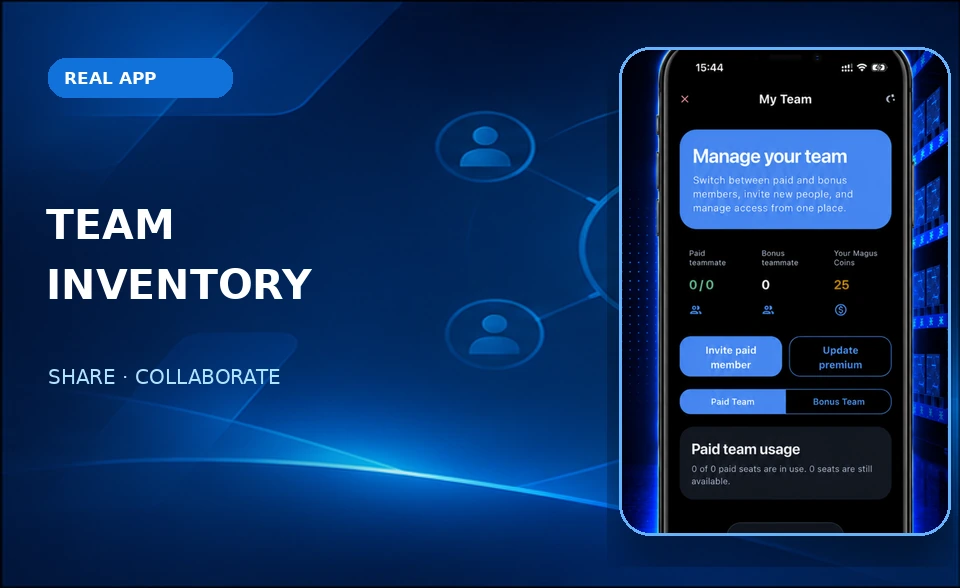
Share inventory access with colleagues, invite team members and assign Admin or Client roles. Work from shared stock records with role-based permissions.
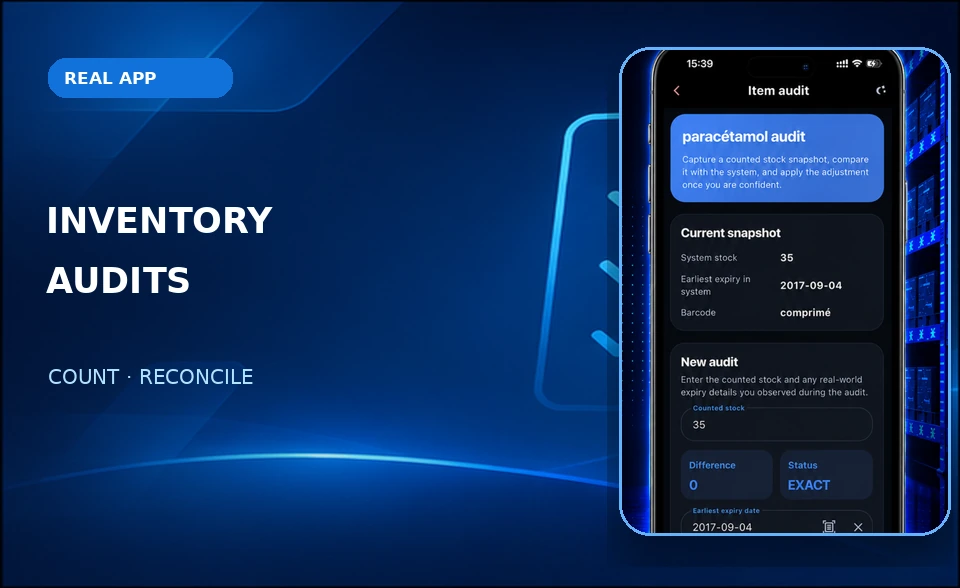
Perform inventory audits by comparing physical stock counts with recorded quantities. Identify discrepancies, review expiry information and apply stock adjustments when needed.
No barcode or label? Snap a photo of an item, give it a name, and find it again by photo when you're ready to update stock.
Use your iPhone, iPad, or Android device to scan barcodes and QR codes instantly. Add, update, and locate products faster while reducing manual entry errors.
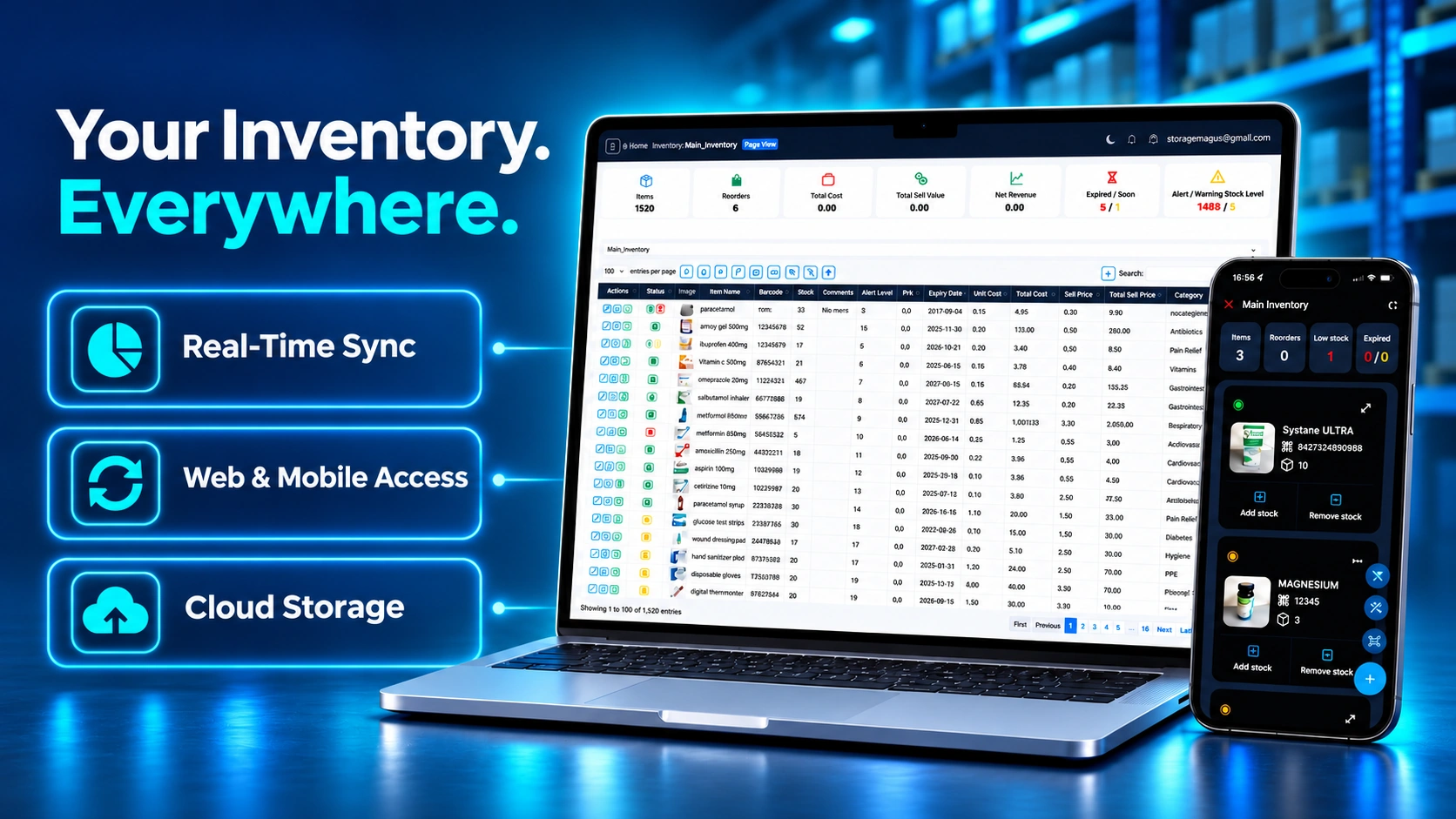
Manage stock from iPhone, iPad, Android devices, and web browsers with secure real-time cloud synchronization. Every update is instantly reflected across your team.
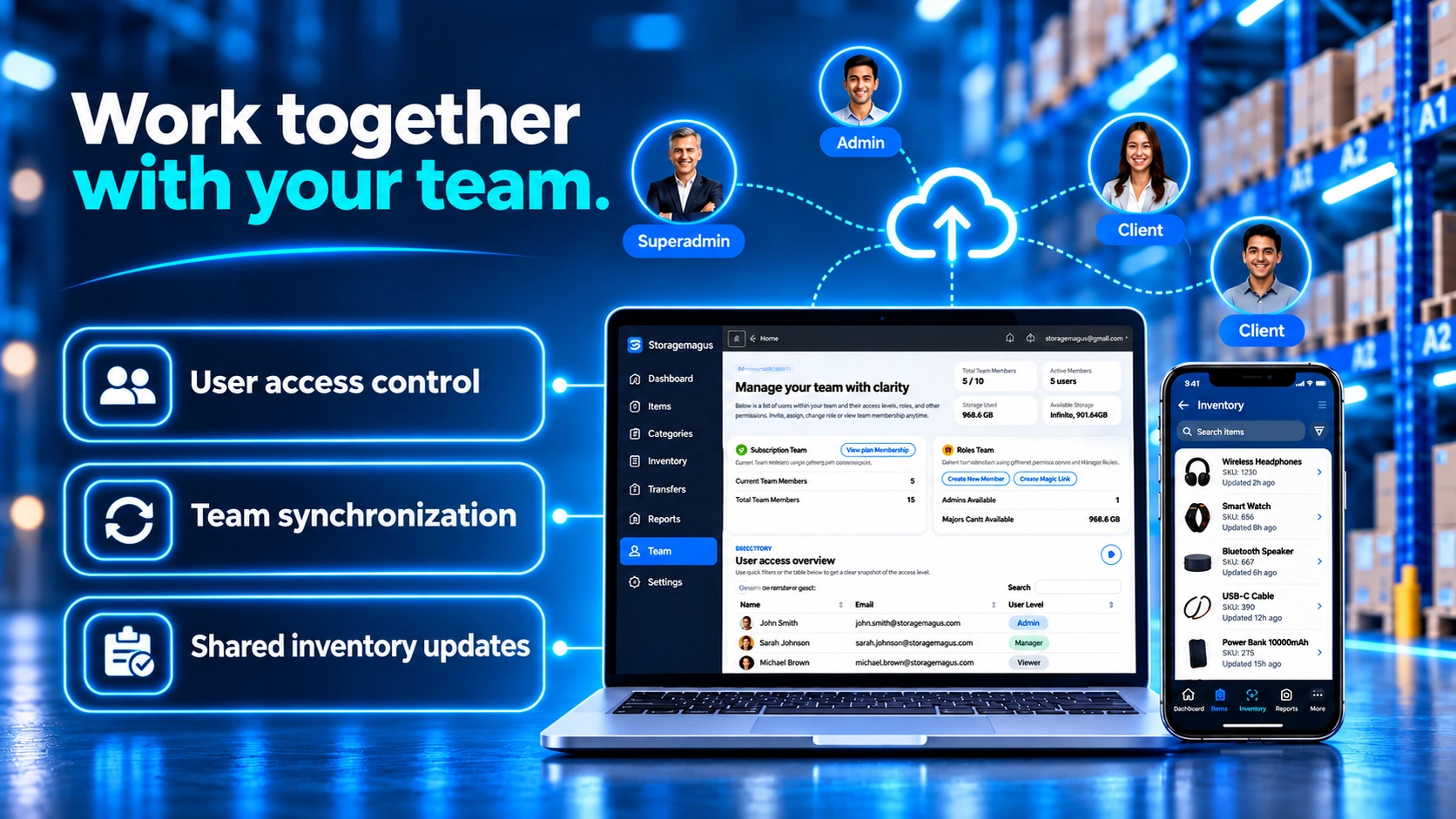
Invite team members, assign roles, and collaborate across inventories with real-time updates and centralized stock management.

Track inventory movements, reorder levels, stock consumption, and product availability in real time.
From missing barcodes to stock shortages, Storagemagus helps you manage inventory faster and with less manual work.
Snap a photo to recognize registered items, access their stock records, and update quantities—no barcode required.
Add multiple items at once, scan barcodes or capture product details with your camera to reduce repetitive data entry.
Capture expiry dates, track approaching deadlines, and receive alerts before products expire.
Keep managing inventory with supported offline features, then synchronize your changes when you're connected again.
Share inventory records with colleagues, assign user roles, and keep stock updates synchronized across your team.
Check and update inventory on Android or iOS, manage it from your web browser, and keep everything synchronized.
Whether you're managing a small shop, workshop, stockroom or your personal inventory, Storagemagus helps you find products faster, reduce manual work and stay in control of stock. Use it across Android, iOS and Web, with cloud synchronization and supported offline workflows. Explore mobile inventory management, barcode and QR scanning, team collaboration and the intuitive interface.
Use Storagemagus on iPhone, iPad, Android devices, and directly from your web browser.
Find quick answers about how Storagemagus works across iPhone, iPad, Android devices, web browsers, barcode workflows, offline usage, and small business inventory operations.